How to Download the Dark Horse Rowing App on Your iPhone

Modified on Tue, 7 Jul at 3:41 PM

How to Download the Dark Horse Rowing App on Your iPhone


The Dark Horse Rowing app is a web app, so it isn't downloaded from the App Store. Instead, you can install it directly from Safari and add it to your Home Screen for an app-like experience.


Step 1: Open the App in Safari

Open Safari on your iPhone and go to:

Dark Horse Rowing App


Step 2: Tap the Share Button

Tap the Share button (the square with the upward-pointing arrow) at the bottom of the Safari screen.
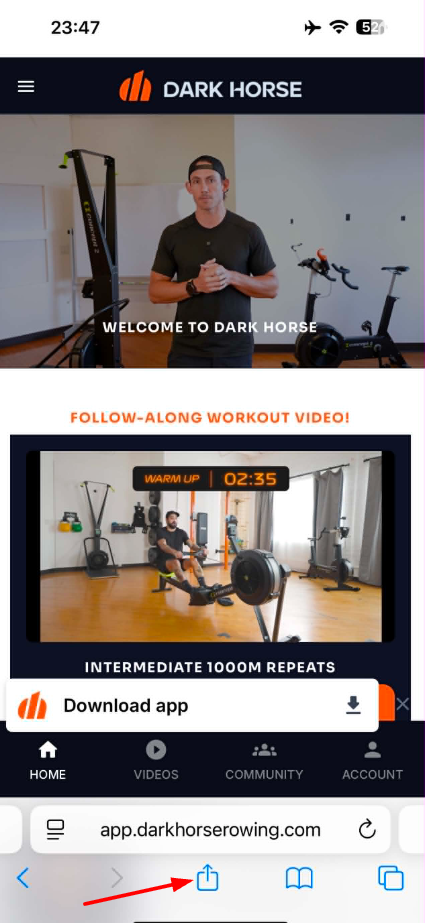


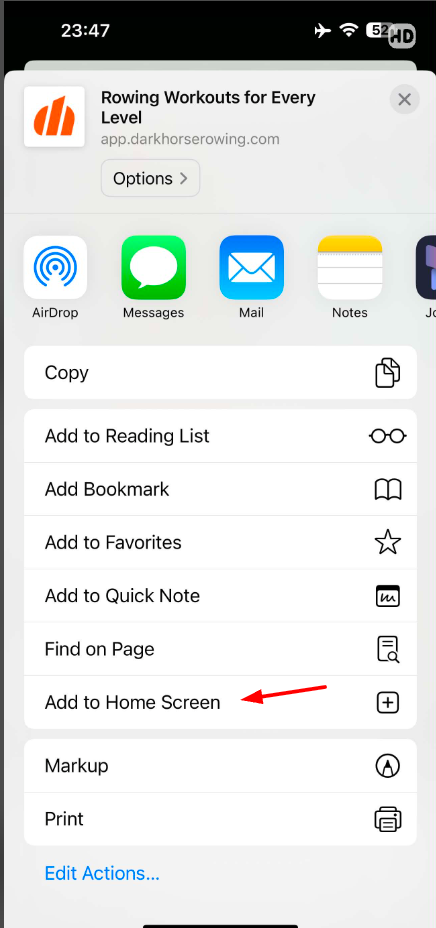
Step 3: Add to Home Screen

Scroll down through the Share menu and tap Add to Home Screen.

If you don't see this option, scroll to the bottom of the list, tap Edit Actions, and add Add to Home Screen.
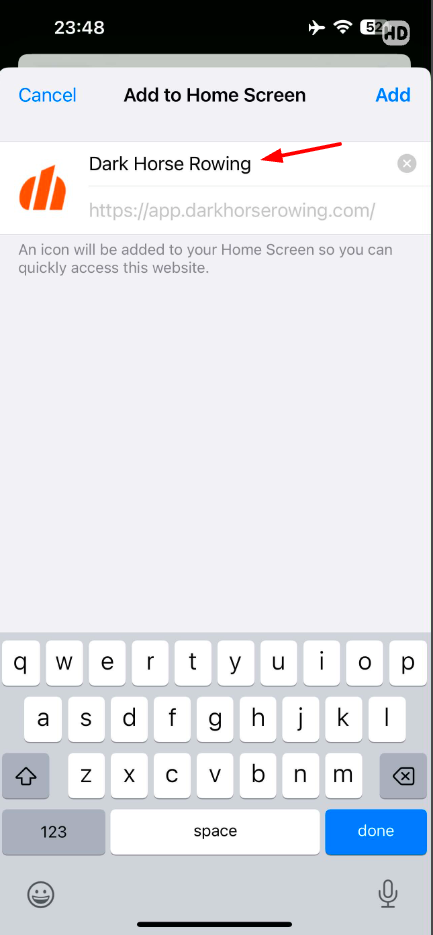
Step 4: Confirm the App Name

You can keep the default name Dark Horse Rowing or rename it if you prefer.


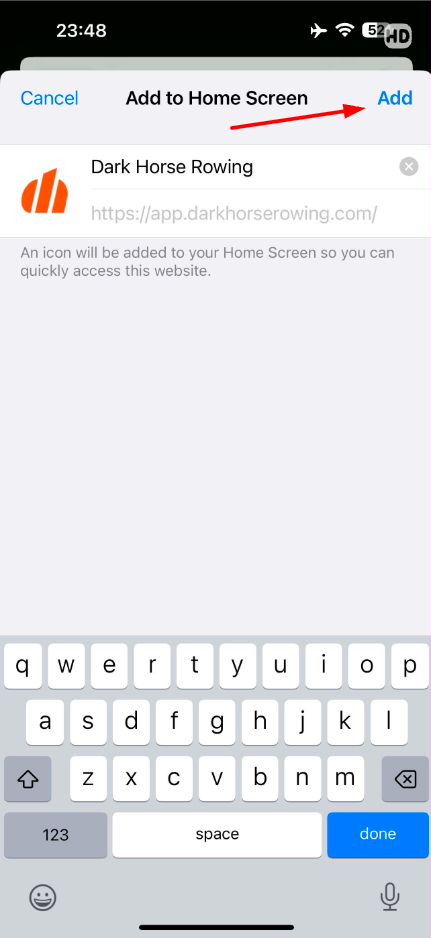
Step 5: Tap Add

Tap Add in the upper-right corner.

The Dark Horse Rowing app icon will now appear on your Home Screen just like a regular app.


Step 6: Log In

Open the app from your Home Screen and log in using your Dark Horse Rowing account credentials.

You'll now have quick access to your workouts, programs, community, and account without opening Safari each time.


Still Need Help?

If you're having trouble installing the app or accessing your account, please contact us at:

Our team will be happy to assist you.


Was this article helpful?

That’s Great!

Thank you for your feedback

Sorry! We couldn't be helpful

Thank you for your feedback

Let us know how can we improve this article!

Select at least one of the reasons
CAPTCHA verification is required.

Feedback sent

We appreciate your effort and will try to fix the article