How Do I Download the App to My Phone?

Modified on Wed, 8 Jul at 1:21 PM

How Do I Download the App to My Phone?

The Dark Horse Rowing app can be added directly to your phone’s home screen for quick and easy access.
For Android Devices


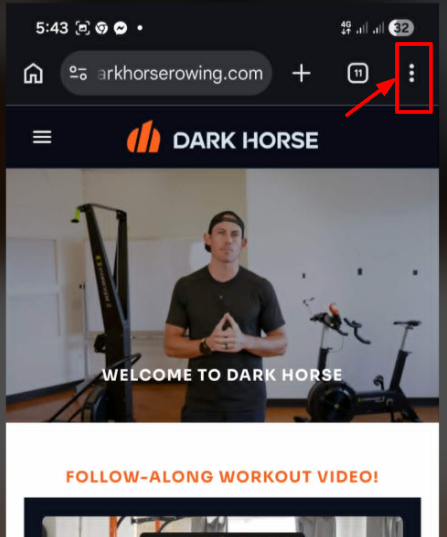
1. Open Chrome and go to the Dark Horse Rowing App.

2. Tap the three-dot menu in the upper-right corner of the browser.


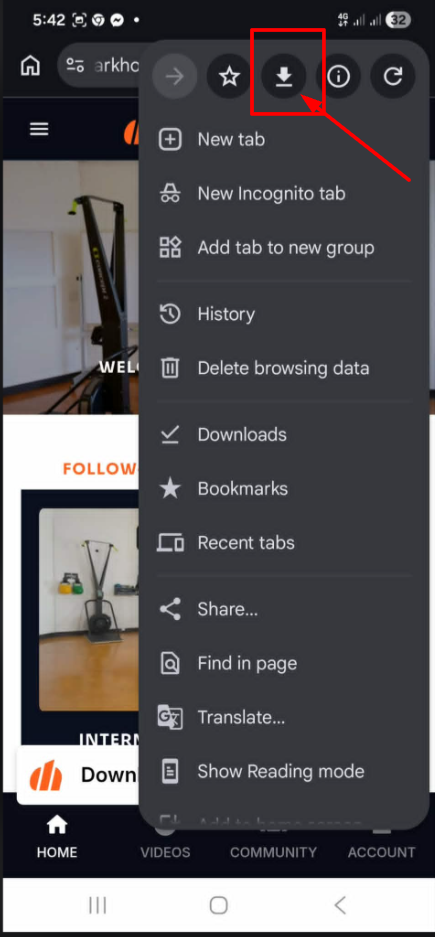
3. Select the Download button (downward arrow icon).


4. Tap Open once the download is complete.
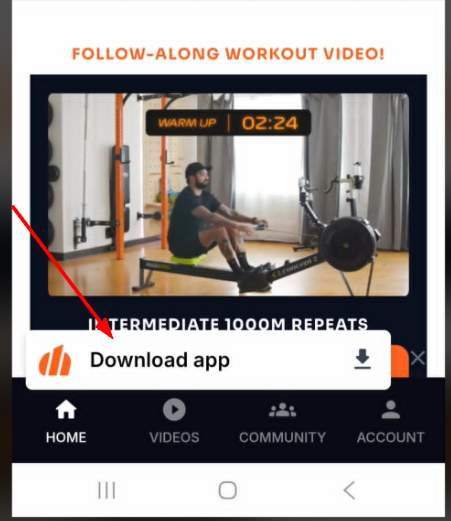
5. If you see another Download App button, tap it again to continue the installation process.

6. Tap Install.

7. Exit the page and return to your home screen. The app should now appear there.


***If You Still Don’t See the App

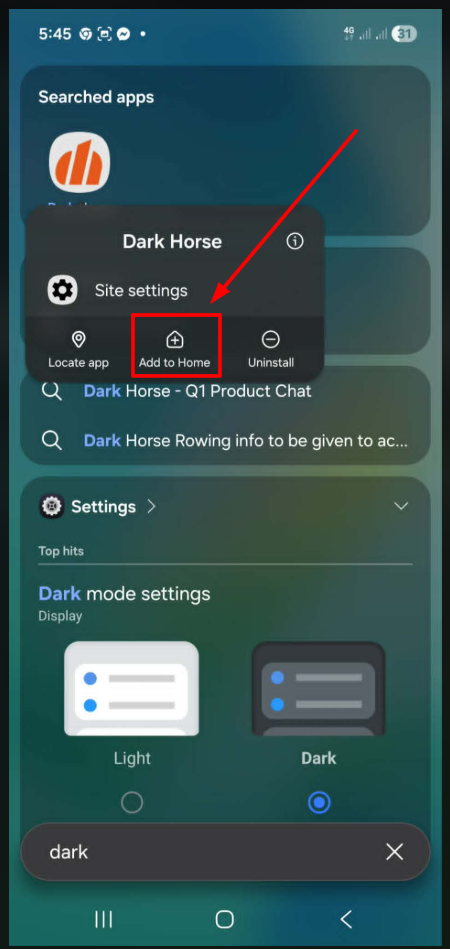
  • Open your phone’s search bar and search for Dark Horse Rowing.
  • Once found, you can tap and hold the app icon and select Add to Home Screen if needed.


Still Need Help?

If you are having trouble, please contact us at support@darkhorserowing.com and our team will be happy to assist you.

Was this article helpful?

That’s Great!

Thank you for your feedback

Sorry! We couldn't be helpful

Thank you for your feedback

Let us know how can we improve this article!

Select at least one of the reasons
CAPTCHA verification is required.

Feedback sent

We appreciate your effort and will try to fix the article